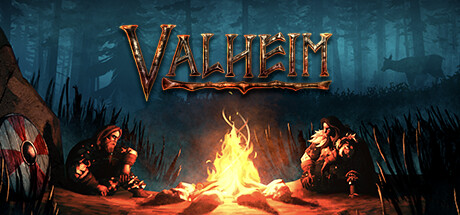
Valheim save file location
%USERPROFILE%\AppData\LocalLow\IronGate\Valheim\characters_local\ and worlds_local\~/.config/unity3d/IronGate/Valheim/characters_local/%LOCALAPPDATA%\Packages\CoffeeStainStudios.Valheim_<id>\SystemAppData\wgs\Save files: characters_local\<name>.fch, worlds_local\<world>.db, worlds_local\<world>.fwl. Characters (.fch) and worlds (.db terrain and objects, .fwl world metadata) are custom binary files with a hash, not JSON. Local and Steam Cloud saves live in separate folders.
Cloud saves: Valheim stores Steam Cloud characters and worlds separately from local ones. Move a character to local storage in the character menu before editing, or your changes go to the copy the game does not load.
What you can edit
- Valheim Character Editor: character appearance, skills and inventory (2021 file format).
Valheim save editors and tools
Valheim Character Editor
Outdated- character appearance, skills and inventory (2021 file format)
Archived in 2021. Newer .fch versions are not supported; use the dev console instead.
We link only to the tool author's own page (GitHub, Nexus Mods or the official site). Download tools from there, never from re-uploads.
How to edit your Valheim save
- Back up the saveClose Valheim and copy the whole save folder somewhere safe before changing anything. See how to back up game saves.
- Find the save fileGo to %USERPROFILE%\AppData\LocalLow\IronGate\Valheim\characters_local\ and worlds_local\ (Windows) and find characters_local\<name>.fch, worlds_local\<world>.db, worlds_local\<world>.fwl.
- Edit itUse one of the tools listed on this page to change the values you want.
- Put it backReplace the original file with the edited one (same file name), then start Valheim and load the save.
Tips and common problems
- Enable the console: Steam, Valheim Properties, Launch options: -console. In game press F5, type devcommands, then for example raiseskill Swords 100 or spawn Coins 999.
- Dev commands work in single-player and on servers where you are an admin. Turn them off by typing devcommands again.
- Valheim keeps .fch.old and .db.old backups next to the save. Rename one to drop the .old if the current save breaks.
- Back up worlds before spawning large numbers of objects; too many can make a world unplayable.
If the save won't load
- Put your backup back first; most "corrupted save" messages come from a value outside what the game accepts.
- Make sure the edited file has exactly the original name (remove
-edited). - Check the cloud-save note above: the old copy may have been downloaded again.
FAQ
Where is the Valheim save file?
Windows: %USERPROFILE%\AppData\LocalLow\IronGate\Valheim\characters_local\ and worlds_local\. Steam Deck / Linux: ~/.config/unity3d/IronGate/Valheim/characters_local/. Xbox / Game Pass PC: %LOCALAPPDATA%\Packages\CoffeeStainStudios.Valheim_<id>\SystemAppData\wgs\.
Why does Valheim undo my save edits?
Valheim stores Steam Cloud characters and worlds separately from local ones. Move a character to local storage in the character menu before editing, or your changes go to the copy the game does not load.
Similar games



This page is unofficial and not affiliated with Iron Gate Studio. Valheim and its trademarks belong to their owners. Edit saves only for single-player play; we don't cover online games, anti-cheat or piracy.